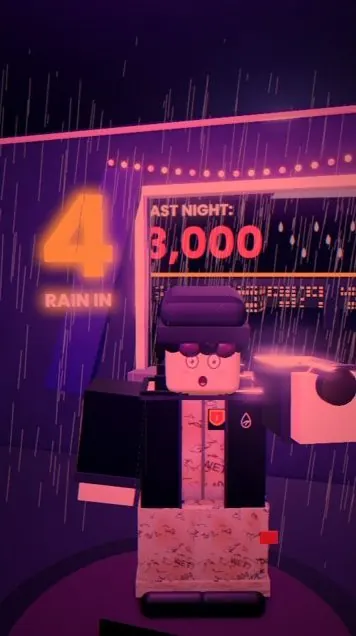
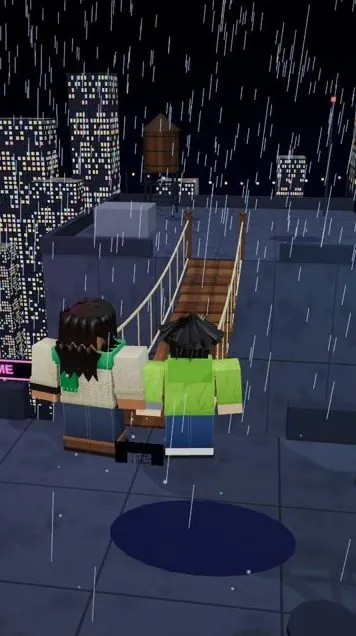
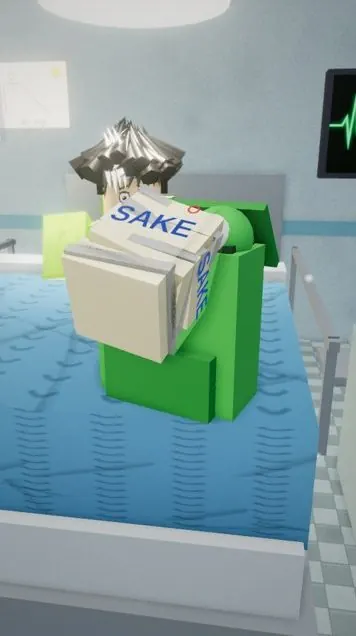
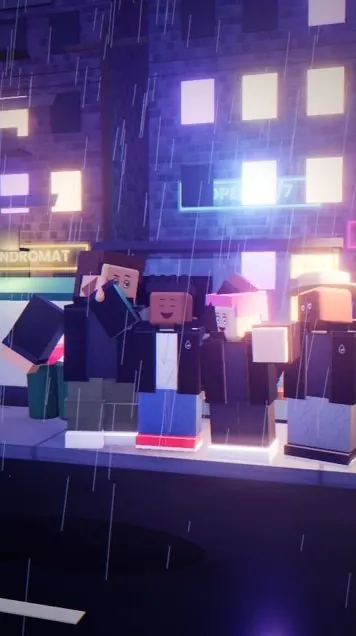
How I make In This Town videos · by Kor

The art of the short they watch twice.

The exact way I make my In This Town videos. Find the one strange rule, write the twist, cast the characters, have Claude build every scene in three.js, voice it, and export a finished two-minute episode on a MacBook.

One-time paymentInstant access7-day refund policy

27Written lessons
30Video lessons
39Reference sheets
MacNo GPU needed
$9.99To begin
Shot 0100:00:00
In
Tap Kor · 1080 × 1920 · 60 fps

~1M views on Part 1 of my biggest series in its first 72 hours

Videos made with this method are on my channels

Every story starts here
“In this town, every kid gets one wish at age ten, and it comes true for whoever is standing closest.”

That one sentence was all an episode needs. One strange rule with a built-in catch, understood in two seconds. The Writer's Room teaches you to write rules like it, then pitch ten and pick the one.

Free preview

Watch lesson one, on me.

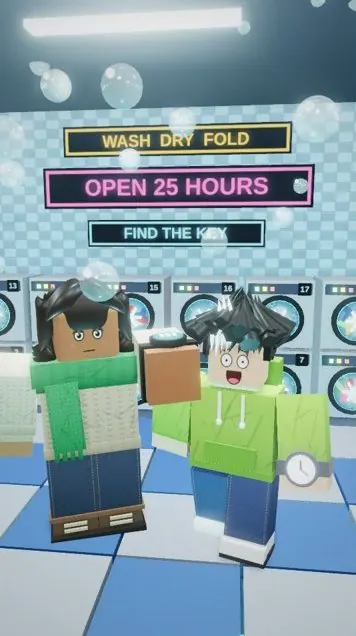
The first video from The Writer's Room, uncut. Two minutes on how a whole In This Town episode comes together, from the strange rule to the finished MP4. Every lesson has a video like this, plus the written method, prompts and a task.

Choose your tier
Lesson 1 · Welcome: how an In This Town episode is made · 1:58

06

Six check-ins. Every episode.

Every video on my channel goes through the same six stops, and I approve each one before anything moves on. Mistakes get caught while they cost a sentence to fix, long before they cost a render.

IIdea

Ten pitches

Claude pitches ten “In this…” rules at the scale and tone I ask for. I pick one, or ask for ten more.

IIScript

The script

First person, about 430 to 500 words, no loopholes, and it ends on the single word “Because…”

IIICharacters

The cast

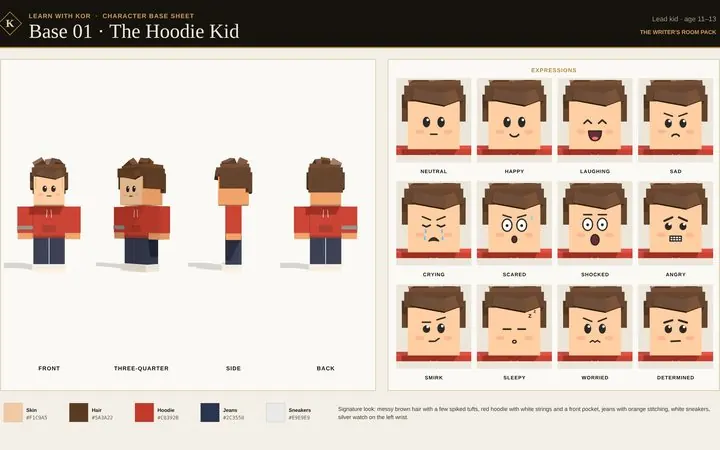
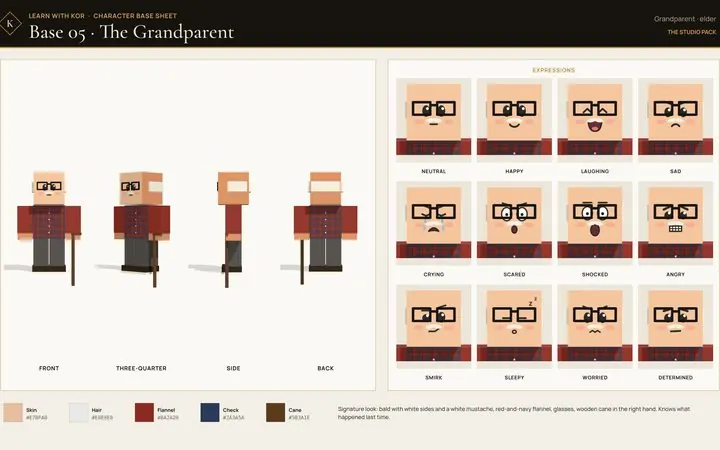
Rendered pictures of everyone in the episode, checked against their signature looks. Pictures, never descriptions.

IVScenes

The sets

Rendered stills of every set and key shot, checked for the Look Standard and for anyone standing inside a wall.

VVoice

The voice

My ElevenLabs voice clone through the connector. One take, take 1, pauses capped, sped up to 1.3× with word timestamps.

VIRender

The cut

The episode built in the render kit. I open it in Chrome, check every shot, and export the MP4 at 60 fps.

Not another AI-video course

Taught from my workflow.

Most courses give you a quick tour of some AI tools. This one shows you the actual decisions behind a channel that's growing right now, with the numbers from real episodes.

  • The “In this town…” premise. One strange rule in the first sentence, and the loop ending that sends viewers back to the start.
  • Real episodes, real numbers. Beat-by-beat timestamps, shot counts and the exact sound mix from The Moon Kid.
  • A task in every lesson. Each one ends with a “Do this now” step, and every tier ends with a quiz.
  • Help when it breaks. A troubleshooting page with the exact message to send Claude when a character walks through a table.

One-word captions, timed to the voice, the way every episode does it.

No render farm required

Made on a MacBook.

Other courses teach Blender, which needs a strong graphics card and long renders to look good. This method has Claude build every scene in code that plays in Chrome, so the laptop you already own is enough. No Blender, no Roblox Studio, no expensive graphics card. Every In This Town episode is exported from a MacBook.

Blender courses

  • Install a full 3D suite
  • Want a powerful graphics card
  • Slow renders on a laptop

This method

  • Runs in Chrome
  • Works on a MacBook
  • One click: Export MP4
My_Episode_Render.html
Shot viewShot 41 of 561080 × 192060 fps
Seven
Voice ✓Music −20 dBCaptions ✓
Export MP4
No Blender · No gaming graphics card
03

Three tones. Mix them freely.

The same cast and engine carry straight horror, ominous Black Mirror stories and wholesome tear-jerkers. Then the scale rotates like a checklist: town, city, world, universe. What changes is the sky, the light, the music and the ending.

Don't

Straight horror night

Something is wrong and getting closer. It can end with no hope at all.

Everyone

Ominous Black Mirror

A cool rule that turns out to be a trap. A twist, then a cliffhanger.

Home

Wholesome tear-jerker

A rule that shows who loves who. The music changes on the exact word the ending turns.

Above

Bigger scales universe

City, world, universe and out-of-the-box. Bigger sets and stakes, the same small heart.

56

The Moon Kid, to the second.

“In this town, the moon follows the kid who needs it most.” 56 shots in 89 seconds, about one new shot every 1.6 seconds. Every bar below is a real shot, and the gold ones are the beats you'll learn to place.

0:00Rule and world
0:11Meet the cast
0:28The break
0:34Night 10, 20, 30
0:55The twist
1:08“Barefoot”: the music turns
1:25“Because…” loops
1.3×Voice speed, same pitch
20 dBMusic under the voice (17 after the cue)
−14 LUFSMaster loudness, peaks at −1 dBFS
0.28 sLongest pause allowed
27

Every lesson, in order.

Each lesson has a summary, the full method, copyable prompts, a “Do this now” task and space for your notes. Each tier ends with a quiz. Every tier includes the ones before it.

I

The Writer's Room

Story · $9.99
  1. Welcome: how an In This Town episode is made
  2. The premise: rules that write themselves
  3. Pitching 10 ideas, scales and genres
  4. The 2-minute shape, beat by beat
  5. The twist and the “Because…” loop
  6. Writing rules: first person, clear, kid-friendly
  7. Characters on paper: the cast system
  8. Voice: the clone, one take, 1.3×
What's in The Writer's Room
II

The Studio

Production · $49.99 $24.99
  1. Studio setup: Claude, a folder and Chrome
  2. Build your render kit with Claude
  3. The series bible
  4. Running the 6 check-ins
  5. The Look Standard
  6. Shots, timing and transitions
  7. One-word captions
  8. Sound: effects, music and the mix
  9. The double-check list
  10. Render and export on your computer
  11. Posting: TikTok and YouTube Shorts
  12. Troubleshooting
What's in The Studio
III

The Director's Cut

Series · $79.99
  1. Masterclass, part 1
  2. Masterclass, part 2
  3. Masterclass, part 3
  4. Masterclass, part 4
  5. Masterclass, part 5
  6. Masterclass, part 6
  7. Masterclass, part 7

The masterclass on my biggest series, writing multi-part stories, going bigger, growth and money, and running your channel like a studio. Lesson titles unlock with the tier.

What's in The Director's Cut
08

Eight tools, built in.

The tools I wish I'd had when I started, plus a master prompt for every tier. Each tool opens inside the course, next to the lesson that uses it.

Writer's Room

Premise Lab

Spin “In this…” rules by scale and tone, or copy the prompt that has Claude pitch ten.

Writer's Room

Script Timer

Your length after the 1.3× speed-up, plus checks for first person, the opening and “Because…”

Every tier

Prompt Vault

Every prompt you unlock, one click to copy: 14 in The Writer's Room, 48 in The Studio, 84 in The Director's Cut, sorted into packs.

Studio

Shot Planner

Paste a script or word timestamps and get a timed shot list to hand to Claude.

Studio

Mix Calculator

Where the music sits under the voice, with the swell on the cue word.

Director's Cut

Series Planner

Plan every part, cliffhanger and rule of a multi-part story before you make Part 1.

Director's Cut

Monetization Checker

Your numbers against TikTok and YouTube's thresholds, including the 2027 change.

Director's Cut

Retention Checker

Your retention against the target for your length, plus your dips turned into dip-log lines.

Every tier

Master prompts

One long prompt per tier that runs the whole stage and stops for your approval: the story, then the full episode, then the whole series.

39

Reference packs, ready for your AI.

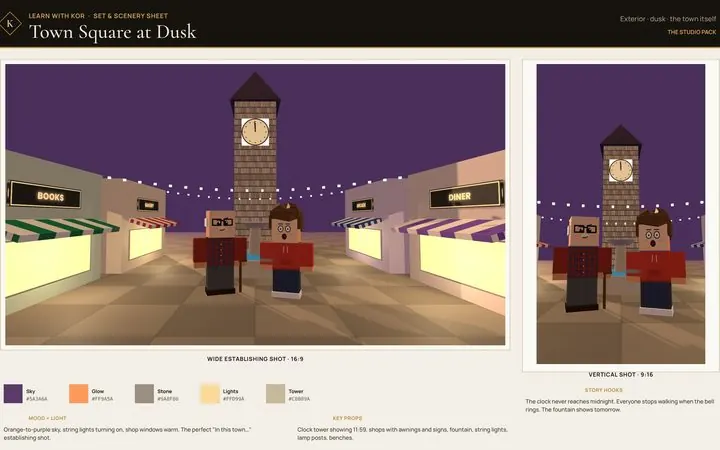
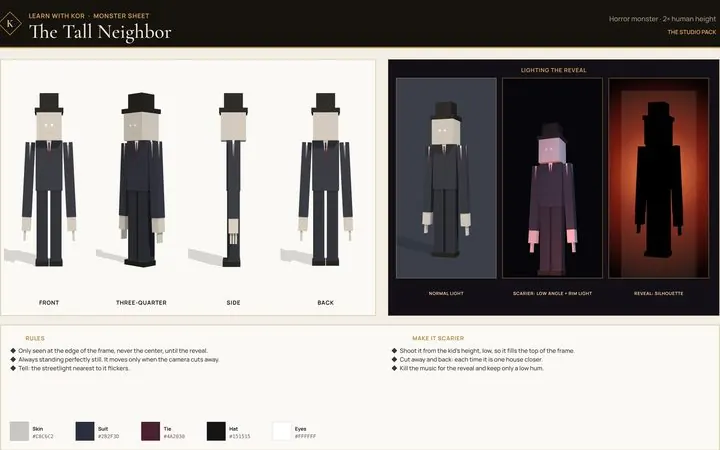
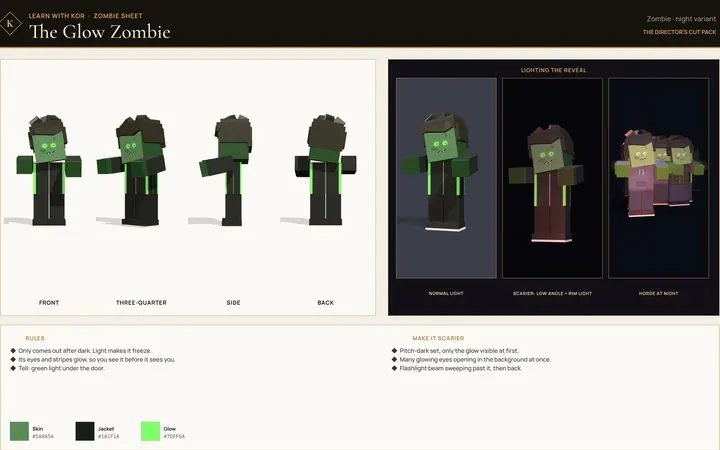
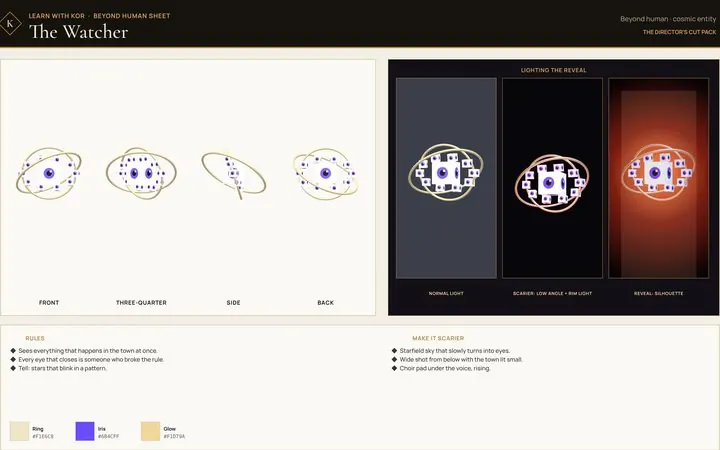
Original sheets you upload straight to your AI with the matching prompt: four-angle turnarounds, 12 expressions and exact colors for every character, plus lighting notes and rules for every set, world and creature. Use them in your own videos.

!

The rules changed. Originality pays.

Facts checked November 2026. Platforms change these, so the course shows you where to confirm them.

July 2026

YouTube's “inauthentic content” rule

Generic, repetitive or template-based channels, AI and CGI ones included, can lose monetization, judged across the whole channel. Original rules, a rotating cast, new sets and real series are what this course is built on.

> 1 minute

TikTok Creator Rewards

18+, 10K followers, 100K views in the last 30 days and an eligible country. Only original videos over one minute earn. That's why episodes run about two minutes.

Starter plan

ElevenLabs licensing

The free plan has no commercial license. Monetized videos need at least the Starter plan.

No shortcut

Music copyright

Crediting a song does not stop a Content ID claim. The course teaches licensed and royalty-free music for anything you want to earn from.

Only in The Director's Cut

My biggest series, opened up.

The biggest lesson I've learned: write your own story and make it a series people wait for. The Director's Cut breaks down how I built my biggest series, part by part, and how to plan yours so it stays consistent and free of plot holes.

~1Mviews on Part 1 in its first 72 hours
Every clue in my biggest series, planted and paid off
i

The masterclass

My biggest series, broken down part by part: the premise, the choices viewers argued about, and what I did on purpose.

ii

Multi-part stories

Plan backwards from the finale, give every part its own twist and cliffhanger, and keep the rules consistent.

iii

The canon sheet

A template for locking what's already been shown, plus the plot-hole test every part has to pass.

iv

Going bigger

City, world, universe and out-of-the-box premises, with new sets and creatures of your own.

v

Growth and money

TikTok and YouTube thresholds, the February 2027 change, and the originality rule that can stop payment.

vi

Zombies and beyond

The zombie pack and the beyond-human pack: aliens, machines, ghosts, giants and cosmic things, each with rules and reveal lighting.

vii

The series master prompt

One prompt that builds the engine, the part-by-part map and the canon sheet, runs the hole test, then produces each part.

viii

Kor's Desk

A direct line to me from inside the course. Send your premise, your Part 1 script or the thing you're stuck on, and I'll do my best to reply.

03

Pick where you start.

One payment per tier, no subscription. Every tier includes everything in the tiers before it.

Story

The Writer's Room

How I come up with the stories, write the scripts and record the voice.

$9.99
One-time payment

You'll finish withyour first episode written, checked and voiced, ready to build

  • Master prompt: idea to voice-ready script
  • 10 video lessons with Kor
  • 14 copy-ready prompts, including the master
  • Starter character sheets: 3 bases with 12 expressions each
  • Ideas and the “In this town…” rule formula
  • Pitching 10 ideas and picking the one
  • Scales and tones, and how to mix them
  • The 2-minute script shape, beat by beat
  • Twists that feel fair, and the “Because…” loop
  • First-person writing rules
  • My cast system and signature looks
  • Voice: your clone, one take, 1.3×
  • Premise Lab and Script Timer
Get The Writer's Room
Most popular Production

The Studio

Everything in The Writer's Room, plus the full production with Claude and three.js.

$49.99Launch price · −50%
$24.99
One-time payment

You'll finish witha finished two-minute episode, exported as an MP4 and ready to post

  • Everything in The Writer's Room
  • Master prompt: one full episode, idea to MP4
  • 20 video lessons (10 more)
  • 48 prompts in total, plus 10 troubleshooting messages
  • Character, set and horror monster packs: 19 more sheets
  • The “make it scarier” prompt pack
  • Setting up Claude, your folder and Chrome
  • The prompts that make Claude build your own render kit
  • The series bible that improves every episode
  • Running the 6 check-ins, start to finish
  • The Look Standard, shot timing and one-word captions
  • The sound mix, with real numbers
  • The double-check list and exporting at 60 fps
  • Posting and troubleshooting
  • Prompt Vault, Shot Planner and Mix Calculator
Get The Studio
Series

The Director's Cut

Everything in The Studio, plus the masterclass on building a series people binge.

$79.99
One-time payment

You'll finish witha whole series planned part by part, and a direct line to me

  • Everything in The Studio
  • Master prompt: plan and run a whole series
  • All 30 video lessons (10 more)
  • 84 prompts in total
  • Zombie, beyond-human and worlds packs: 17 more sheets
  • All 12 of my retention rules, the perfect loop and the dip log
  • Kor's Desk: message me directly from the course
  • My biggest series, broken down part by part
  • Writing multi-part stories with cliffhangers
  • The canon sheet and plot-hole test
  • Going bigger: city, world, universe
  • Growth and money: the real rules in 2026
  • Running your channel like a studio
  • Series Planner, Monetization Checker and Retention Checker
Get The Director's Cut
Secure checkout by StripeInstant access, no passwordOne-time payment7-day refund policy

Not sure yet? Start with The Writer's Room. When you want more, upgrade from inside your course and pay only the difference.

Prices in USD. You'll need a computer to make episodes; the lessons work on your phone too. The Studio and The Director's Cut use paid tools from other companies (a Claude plan, and an ElevenLabs paid plan for commercial use), billed by them.

?

Before you enroll.

Do I need to know animation or code?

No. Claude builds the 3D scenes and writes the code. You make the creative decisions at each check-in, and the course teaches you what to look for.

Do I need Blender or Roblox Studio?

No. Episodes are built in three.js, which runs in your web browser. I tried Blender and Roblox Studio and moved away from both.

Do I need a Mac?

No. Everything runs in Chrome, so any recent computer with Chrome should work. I make every episode on a MacBook, with no expensive graphics card, and export the finished MP4 straight from Chrome.

Which tier should I get?

Want better stories? The Writer's Room. Want to make full episodes like mine? The Studio. Want to build a series and grow a channel? The Director's Cut.

Will I make money?

Nobody can honestly promise that. TikTok and YouTube have follower and view thresholds and originality rules, and The Director's Cut covers them as they stand, including YouTube's 2027 change.

Is the voice really yours?

Yes, in my videos it's a clone of my own voice in ElevenLabs. You'll clone yours, and only ever use a voice you have permission to use.

Can I use the reference sheets in my videos?

Yes. Every sheet is original and made for you to use in your own videos. Change the colors, outfits and names until the characters are yours.

Can I upgrade later?

Yes. Upgrade from inside your course whenever you're ready and pay only the difference: $15 from The Writer's Room to The Studio, $55 from The Studio to The Director's Cut. Your progress and notes carry over.

Can I get a refund?

Yes, within 7 days of buying, if you've played 3 or fewer video lessons and haven't opened or downloaded any full reference sheet. Ask from the Refunds page inside your course. Want to try first? Lesson 1 is free.

How do I get in after paying?

Checkout takes you straight into your course, already logged in. On another phone or computer, tap Log in and use the same email: we send you a 6-digit code, no password. Your progress and notes come with you.

Can I just copy your channel?

“In this town…” is a trend, so jump on it. But build your own channel around it: your own name, characters and look, not my characters, series or avatar. Original channels are the ones YouTube and TikTok pay. See the terms of use.

I'm under 18. Can I join?

Yes, with a parent's or guardian's permission to buy. The stories stay at a family-film level: characters can die, but there's never any gore.
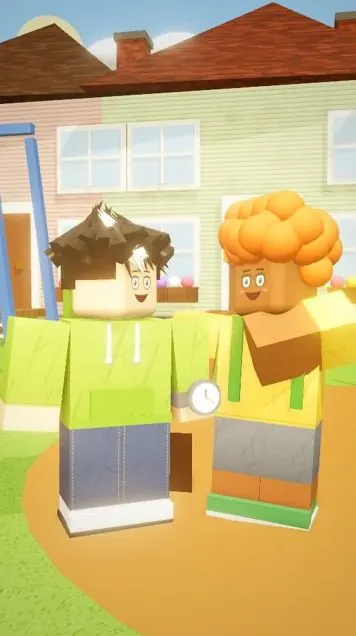
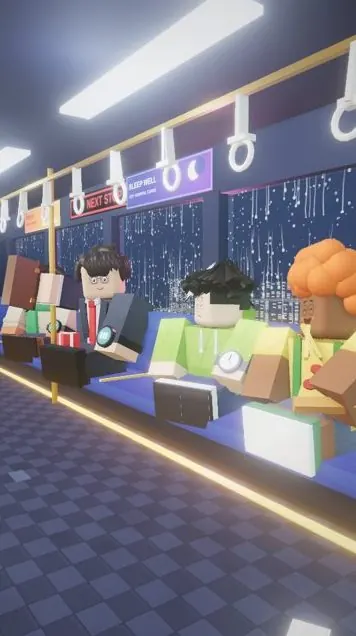
Your first episode is closer than you think

Every town has a rule. Write yours.

From $9.99One-time payment7-day refund policy

Learn with KorFrom $9.99 · one-time payment
Choose your tier
Terms of use

The short version.

  1. Your course is for you. Buying a tier gives you a personal license to use it yourself. Don't share your course link, and don't resell, copy or re-upload the lessons, videos, prompts or reference sheets.
  2. Make your own videos with it. You can use what you learn, the prompts and the reference sheets to make your own videos, including monetized ones.
  3. My brand stays mine. “In this town…” is an open trend and anyone can use it. The course doesn't give you any right to the “Learn with Kor” or “KOR” names, my characters, my series, my story worlds, my avatar or my branding. Don't use them, or anything made to look like them, on your channel or in your videos.
  4. Make it yours. Use your own channel name, your own characters and your own look.
  5. Refunds. Within 7 days of a purchase, if you've played 3 or fewer video lessons and haven't opened or downloaded any full reference sheet since that purchase. An upgrade counts as its own purchase. A refund ends your access to that tier.
  6. No promises on results. Results vary and earnings are never guaranteed. Platform rules change, so always check TikTok and YouTube's current rules yourself.
  7. Not affiliated. Learn with Kor isn't affiliated with Roblox, TikTok, YouTube, Anthropic or ElevenLabs. Third-party tools are billed separately by their providers.